
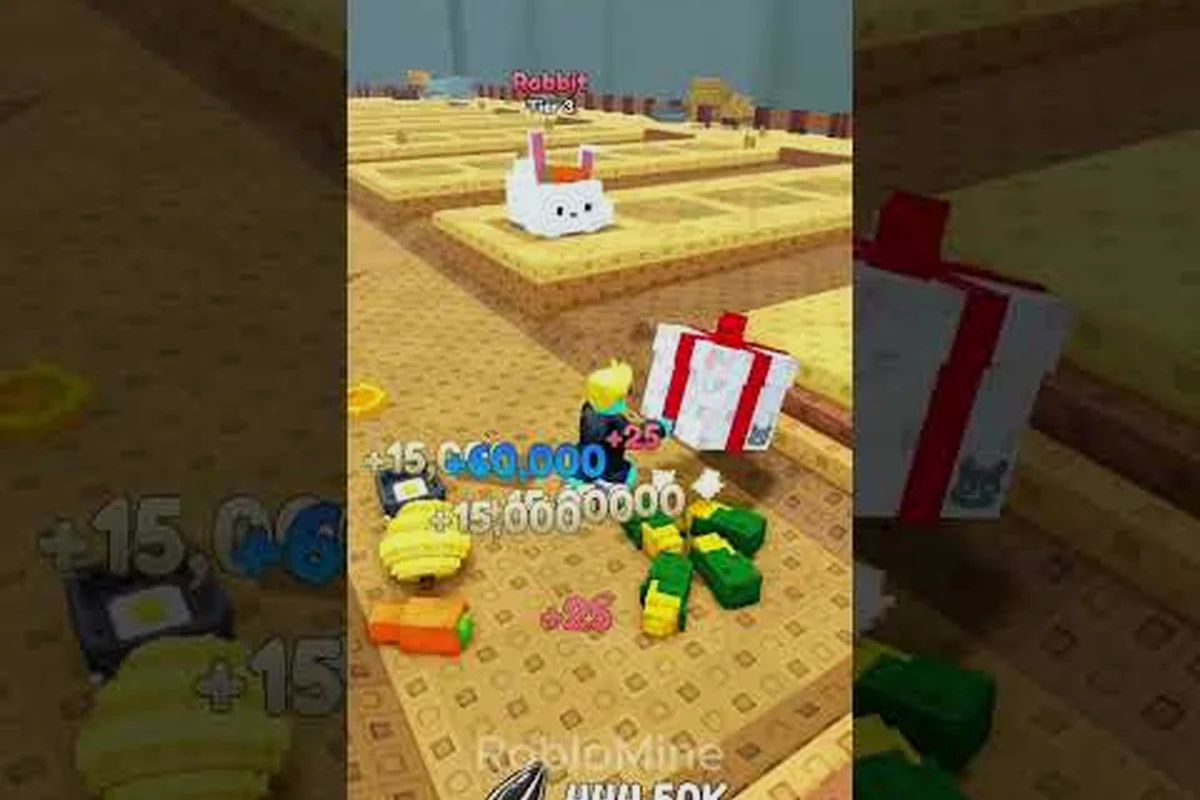
New to Hamster Village and not sure where to start? This essential guide cuts through the noise with the controls, seed sources, and merge picks that actually matter in the first hour. Learn the core buy-collect-deposit loop, avoid the traps that stall new players, and build the habit set that lets your village grow fast in this Roblox tycoon.
Getting Around the Village: A Hamster Village Controls Guide for the First Hour
The single biggest reason new players stall in their first hour is not the economy — it is the controls. Roblox merge tycoons look friendly, but the camera angles, click zones, and deposit prompt positions in Hamster Village punish anyone who treats movement as an afterthought. This Hamster Village controls guide section breaks down the inputs that actually matter, the camera habits that keep you productive, and the input traps that silently drain your first 30 minutes.
Mouse, Keyboard, and the Two Buttons That Matter Most
On PC, the entire control surface fits in a mouse and a few keys. Your left mouse button handles almost every interaction: buying hamsters from the shop prompt, collecting seed drops scattered on the field, and confirming a deposit at the Money pad. Your right mouse button (or the standard Roblox scroll-to-zoom) controls the camera. The WASD keys move your character, and the spacebar jumps, which is useful when the camera angle blocks a far hamster from view.
The two buttons that matter most for any new player are the Shop button and the Deposit button in the on-screen prompt bar. The shop prompt appears when you walk near a hamster crate, and the deposit prompt appears when you walk near the glowing Money pad. Both are proximity-triggered, which means camera angle and positioning decide whether you see the prompt at all.
| Input | Default Bind | What It Actually Does in Hamster Village |
|---|---|---|
| Left Mouse Button | LMB | Buys, collects, deposits, confirms merges |
| Right Mouse Button | RMB | Rotates the camera around your character |
| Mouse Wheel | Scroll | Zooms the camera in or out |
| W / A / S / D | WASD | Walks your character across the village |
| Spacebar | Space | Jumps (small vertical hop) |
| Shift | Sprint | Brief speed boost, useful for the long walk to the deposit pad |
Camera Habits That Keep the Deposit Loop Smooth
The default camera sits at a medium height and tilts slightly downward. That view works for the central field, but the Money pad and the hamster crates are often offset to opposite corners of the map, so new players lose seconds every cycle just re-centering the camera. The fix is to angle the camera so the deposit pad stays near the bottom of the screen. With the deposit pad anchored, your character walks toward it automatically every time the collect prompt flashes, and you stop missing free Money.
Three camera habits carry most of the weight:
-
Tilt down 10–15 degrees from default so the floor and the hamster slots are both visible.
-
Pull the camera back two clicks when merging, so the merge arrow between two matching hamsters is not occluded by a foreground tile.
-
Pan to follow the seed drops rather than the hamster, because seeds move and hamsters do not.
Reading the Hamster Village Player Guide Loop: Buy, Drop, Deposit, Merge
The hamster village player guide loop is short on paper — buy a hamster, let it drop Seeds, collect and deposit those Seeds for Money, and spend Money on more hamsters or on merges — but every verb hides a micro-decision. This section walks through the actual cycle, the order in which each step compounds, and the points where new players waste the most time. The full loop is described on the official Hamster Village game page, and the developer group page restates it in slightly different language for the verified Dojo Empire Roblox group.
The Four-Step Cycle in Plain Language
The cycle runs in a fixed order, and the order is not optional. You buy a hamster from a crate, the hamster drops Seeds on a timer, you walk over the Seeds to collect them, and you walk to the Money pad to deposit. The Money pad then credits your wallet, and you can spend on either another hamster or a merge. A merge takes two matching-tier hamsters placed adjacent to each other and produces a single higher-tier hamster that drops Seeds noticeably faster.
| Step | Trigger | Common Mistake | What "Good" Looks Like |
|---|---|---|---|
| Buy | Walk to a hamster crate | Buying the highest tier you can afford | Buying two of the cheapest tier so a merge is one step away |
| Drop | Wait for the seed timer | Walking away before the first drop | Standing in collection range for the first drop |
| Collect | Walk over a seed pile | Ignoring piles off-camera | Looping the camera so every pile is visible |
| Deposit | Walk to the Money pad | Letting seeds pile to max | Depositing every time the bar reaches 30–50% |
| Merge | Drag two matching hamsters together | Merging with no spare | Holding one spare of the same tier before merging |
Why Frequent Deposits Outperform Big Batches
A player who lets Seeds stack to maximum and deposits in one big batch feels efficient but loses compounding time. The Money pad credits Money on deposit, and every hamster, upgrade, and merge spends from that balance, so the faster the Money lands back in your wallet, the sooner the next hamster can start producing. A deposit cadence of every 30–50% of your seed bar is the sweet spot reported by experienced players on the Dojo Empire community group.
This cadence is also the reason a "Hamster Village full guide" has to mention walking speed before tier strategy. Walking is the only input between two timers, and every second spent walking is a second the next hamster is not buying.
The Shop, the Crates, and Your First Spend
Your first spend in Hamster Village is also the decision that sets the trajectory for the next 30 minutes. Walk to the crate nearest the spawn point and you will see a small list of hamsters sorted by tier, with the cheapest at the top. The cheapest hamster is almost always the correct first buy, and not because cheaper is better in absolute terms — it is because the cheapest hamster lets you reach your first merge in the fewest number of purchases. The merge is where the real growth engine starts.
What to Buy First, in Order
A clean opening sequence looks like this for a brand-new player:
-
Two Tier 1 hamsters, bought back to back, so the merge cost is one step away.
-
A third Tier 1 hamster, held as a spare so the merge never leaves you with zero.
-
Two more Tier 1 hamsters if your Money pad balance allows, because Tier 2 is the first tier where drop speed becomes noticeable.
Skipping straight to Tier 2 is a trap. The Money required to buy a single Tier 2 hamster is roughly the cost of three or four Tier 1 hamsters, and a single Tier 2 hamster produces less per minute than two Tier 1 hamsters that have already been merged into a second Tier 2 hamster on the next cycle. The merge math always beats the buy shortcut.
How the Crate Inventory Expands
Hamster Village does not have a timed shop rotation in the way some Roblox tycoons do, but the crate inventory does expand as you unlock higher tiers. The first crate you see at spawn only stocks Tier 1. Walking a short distance to the second crate unlocks Tier 2 stock, and so on. The roster of available hamsters grows with the tier you have reached through merges, not through spending. This means a player who skips merges is stuck looking at the same crate for the entire first hour.
Merges, Tiers, and What Actually Changes
A merge takes two hamsters of the same tier placed next to each other and produces a single hamster of the next tier. The new hamster keeps the slot of the original pair, so the on-field count drops by one. That sounds like a loss, but every tier up roughly doubles the seed drop rate, which means a Tier 3 hamster outperforms two Tier 2 hamsters running side by side. The merge is the only way to scale the loop without buying more grid tiles.
Tier Behavior at a Glance
| Tier | Typical First-Access Source | Relative Seed Drop Rate | Strategic Role |
|---|---|---|---|
| Tier 1 | Starting crate | 1× baseline | First merge fuel; the only tier affordable from zero |
| Tier 2 | First merge result | ~1.8× | First noticeable speed bump; most players reach this in 5–10 minutes |
| Tier 3 | Second merge result | ~3× | The "stable engine" tier; produces enough Seeds to fund the next round of merges |
| Tier 4 | Two Tier 3 merges | ~5–6× | Mid-game anchor; the tier where most players first feel "ahead of the curve" |
| Tier 5+ | Sustained merging | Higher, scaling per tier | Late-game roster expansion; the collection roster widens noticeably here |
The numbers above are community-reported estimates based on observed drop rates, not official figures. The relative scaling is the part that holds across players; the exact multipliers are tuned by the developer and may shift with future updates. The fact that the developer treats server shutdowns as update windows — a pattern the Dojo Empire group page explicitly calls out — means drop rates are subject to change without warning.
When to Merge and When to Hold
The merge math is simple: two of the same tier is always better than one of the same tier plus a Money return, because the higher-tier hamster pays back the merge cost within a few drop cycles. The holding question is whether you keep a spare. A spare of the same tier protects you against a long downtime — if you accidentally sell a hamster, or a server shutdown resets the field, the spare means you can rebuild the pair immediately. The convention reported by community play is to keep one spare of the current tier whenever possible, and only spend that spare if a particularly tempting hamster appears in the shop.
A Hamster Village Guide for Kids and Family Play
Hamster Village is one of the more accessible Roblox tycoons for younger players, but the interface still has a few adult-coded prompts. This Hamster Village Once the basics feel routine, parents can hand the wheel to the child with our hamster village seed strategy walkthrough to plan long-term crop layouts together.
Parental Setup Before the First Session
The game has no in-game code redemption system and VIP/private servers are disabled, which removes two of the more common parental concerns in Roblox experiences. There is no chat-key spam because most of the action is menu-driven, and the deposit and merge prompts only appear when your character is within range of the relevant object. The settings that matter are Roblox-wide:
-
Account restrictions on the child's Roblox profile, which limit public chat and friend requests.
-
Two-factor authentication on the account, since Hamster Village is tied to the Roblox ecosystem rather than a third-party login.
-
A 30-minute soft timer, because the merge loop is sticky in a way that hides how long the session has actually run.
One Concrete Goal Per Session
Kids tend to do better with a single, concrete goal rather than a full progression tree. The trick that works in this title is to pick one hamster from the roster — any hamster the child thinks looks interesting — and frame the next session as "how do we unlock that one?" That converts an open-ended merge grind into a quest. The roster screen, which the official game page describes as expanding with each new tier, becomes a checklist the child can tick off visually as each hamster appears.
A second habit that helps younger players is narrating the deposit out loud every time the Money pad credits. The deposit is the only feedback loop in the game that is both immediate and clearly numerical, and saying the number out loud anchors the child's understanding of the cause-and-effect between "hamster drops seed" and "Money goes up."
The Hamster Village Full Guide Checklist: First 30 Minutes
If you only have half an hour, this Hamster Village full guide checklist gives you a clean script. The order is deliberate: every step sets up the next, and skipping ahead costs you more time than it saves. The numbers are time-budget estimates based on the cadence reported by community play, not official game timers.
| Minute | Action | Why This Step Comes Now |
|---|---|---|
| 0–2 | Walk to the starting crate, buy two Tier 1 hamsters | Sets up the first merge with the minimum spend |
| 2–4 | Buy a third Tier 1 hamster as a spare | Protects the merge if a seed pickup is missed |
| 4–8 | Stand in collection range, collect every seed drop, deposit at 30–50% | Establishes the cadence habit before tier pressure starts |
| 8–12 | Merge the first pair into a Tier 2 hamster | First major speed bump; the loop starts compounding |
| 12–18 | Buy two more Tier 1 hamsters with the Money from the Tier 2 | Funds the next merge without spending the Tier 2 itself |
| 18–24 | Merge again to Tier 3; hold one Tier 2 spare | Reaches the "stable engine" tier reported by experienced players |
| 24–30 | Buy or merge based on current balance, log the roster screen | Ends the session with a clear next-step plan |
What to Do When Things Stall
The most common stall in the first 30 minutes is seed pile overflow. If your on-ground seeds reach the cap and stop spawning new drops, the economy freezes even if you have a Tier 3 hamster running. The fix is to drop everything and walk a deposit lap — clear every seed pile, hit the deposit pad, and only resume buying once the bar is back under half.
A second stall pattern is over-spreading the field. New players often place hamsters across every available tile because more hamsters looks like more production. The trap is that widely-spread hamsters force long walks between the deposit pad and the collection zone, which means the deposit cadence slips. Keep the active hamsters clustered within one screen of the deposit pad, and reserve the far tiles for spares or future merges.
Updates, the Shutdown-Equals-Update Loop, and Why It Matters
Hamster Village launched on 2026-08-19, and by late September 2026 it had crossed 2.27 million visits, 66.8K favorites, and roughly 19K likes against only about 346 dislikes — an approximate 98% positive ratio, with peak online counts near 6.1K players at sampled moments. Those numbers are reported on the Dojo Empire community group and are useful as a sanity check on the loop: a tycoon that runs hot and stalls is unlikely to hold a 98% positive ratio across 2.27 million visits.
The single most unusual mechanic in the game is the developer's policy that server shutdowns double as update windows. The community shorthand is "Shutdown = Update." What this means in practice is that the server is taken down on a regular cadence, the code is patched during the downtime, and the server comes back with a new build. Players who log in mid-shutdown will see the server unavailable, and players who log in right after will see new drop rates, new roster entries, or new merge tiers. The implication for any new player is that the loop you learn today may behave slightly differently next week, and the meta is in a constant gentle state of flux rather than a fixed target.
How to Use the Shutdown Cycle as a Player
The practical advice is to treat every shutdown as a soft reset point. If you are mid-merge, finish the merge before the shutdown hits, because a partial merge on a fresh server may behave slightly differently than it did on the old one. If you are building a long-term roster goal, check the Dojo Empire group page after a shutdown, because that is where the developer posts the change notes for the latest patch. And if you are a younger player or a parent, the shutdown cadence is also a built-in session boundary — a natural moment to step away and come back to a fresh build.
Frequently Asked Questions
What is the very first thing a new player should buy in Hamster Village?
The first purchase should be two of the cheapest hamster available from the starting crate, because the cheapest hamster is the only one a brand-new player can afford twice. Buying in pairs sets up the first merge, and the merge is what unlocks the higher drop rates that fund everything else. Hold a third hamster of the same tier as a spare so the merge is never blocked by a missed seed pickup.
How long does it usually take to reach Tier 3 for the first time?
Most new players reach Tier 3 within 18 to 25 minutes if they deposit every time the seed bar passes 30–50% and avoid buying out-of-tier hamsters. The exact timing depends on walking speed and how often the player gets pulled away from the deposit pad. The cadence is the lever, not the spending.
Are there codes or VIP servers in Hamster Village?
No. There is no in-game code redemption system, and VIP or private servers are disabled, according to the developer notes on the Dojo Empire group page. Progression is entirely driven by Seeds, Money, and the merge chain, so there is no shortcut currency to spend on.
Is Hamster Village safe for younger kids to play on their own?
The game itself is menu-driven and lacks a public code-redeem or VIP-server surface, which removes two of the more common parental concerns. The Roblox-wide settings around chat restrictions and two-factor authentication are the more important controls, and a 30-minute soft timer helps because the merge loop is stickier than it looks. Playing together for the first session is the safest way to learn the prompts.
What does "Shutdown = Update" actually mean for an average player?
The developer treats server shutdowns as the update window, so when the server goes down for maintenance, a new build usually lands before it comes back up. Players who log in right after a shutdown will see updated drop rates, new roster entries, or revised merge behavior. The practical habit is to check the developer group page after every shutdown to see what changed before resuming a long merge plan.